
Enable NFC in Android settings
Open the Settings app on your Android smartphone.
Depending on your device, navigate to Connections or More connections (1).
Alternatively, use the Settings search bar (2) and search for NFC.
Open the NFC settings (3).
Enable NFC using the toggle switch (4).
Your smartphone can now read compatible NFC cards.
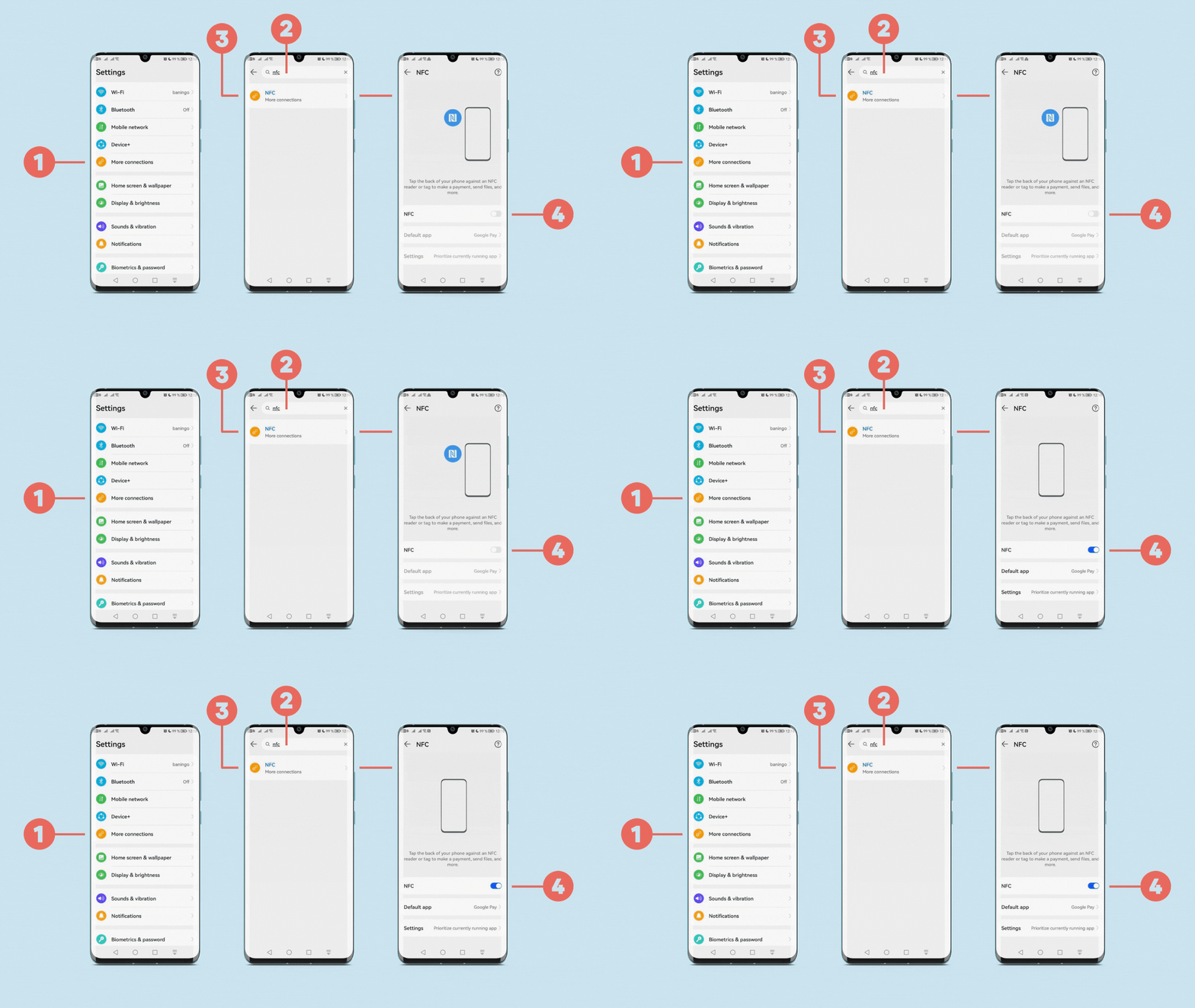
The settings may look different on your device
The exact location and name of the NFC setting depends on the smartphone manufacturer and Android version.
If you cannot find More connections, search directly for NFC in your device settings.
You can also check your smartphone manufacturer's support documentation if NFC does not appear in the Settings search.