
Change your account email address
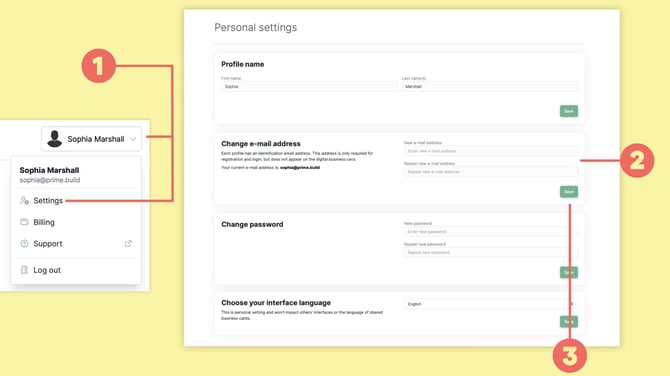
Open Personal settings by clicking your name in the top-right corner (1).
Under Change e-mail address, enter your new email address (2).
Click Save (3).
baningo will send a confirmation email to your new email address.
Open the email and click the confirmation link to complete the change.
If you don't receive the confirmation email, check your Spam or Junk folder.
Account email vs. card email
Changing your account email address does not change the email address displayed publicly on your digital business card.
To change the email address shown on your card, open Edit card and update the corresponding Personal element.
For more information, see How to edit your profile and Personal elements.