Change the Wallet QR code destination
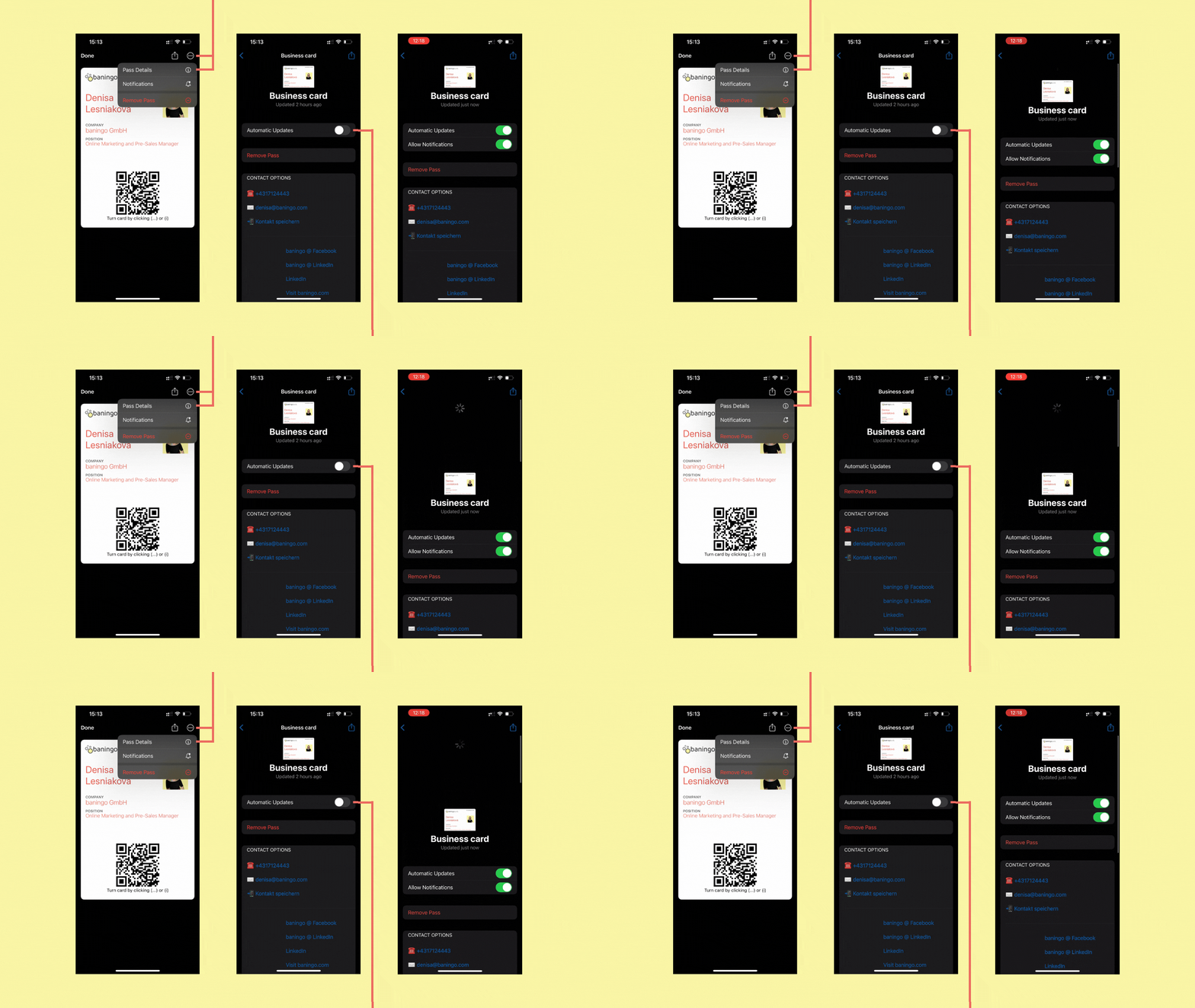
Open Team settings (1) for the team you want to configure.
Under Wallet card QR code, choose what should happen when someone scans the QR code (2).
Available options include:
- opening the digital business card in a web browser
- downloading the Wallet card
- saving the contact information as a vCard
Save your changes when you're finished.
Update the Wallet pass after a change
After changing the Wallet QR code settings, the Wallet pass may need to be refreshed before the new behavior is available.
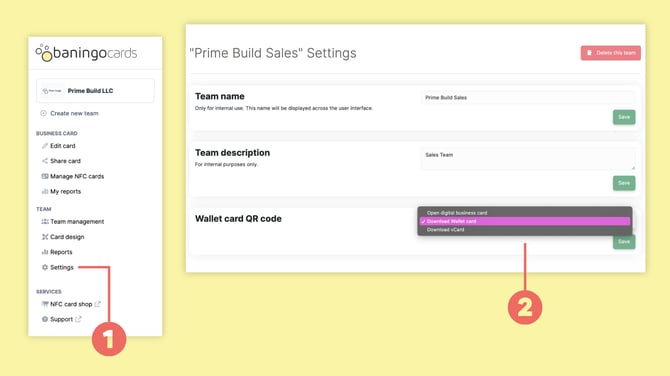
In Apple Wallet:
- Open your digital business card.
- Tap the three dots in the top-right corner.
- Select Pass Details.
- Make sure Automatic Updates are enabled.
- If necessary, pull down on the screen to trigger a manual update.
This ensures that the latest Wallet settings are applied.