
Open the profile from Team management
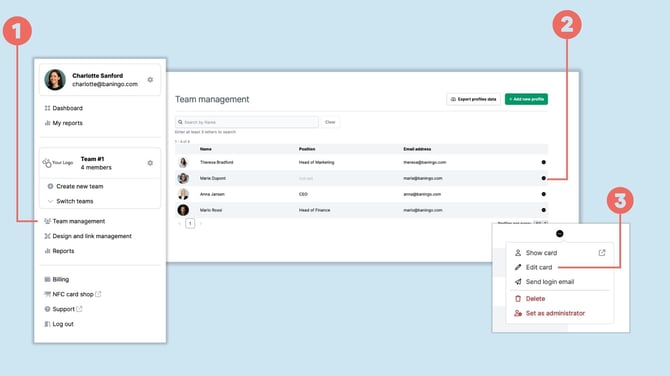
Open Team management (1).
Find the team member whose digital business card you want to update.
Click the three-dot menu (2) next to the profile.
Select Edit card (3).
Edit the team member’s card
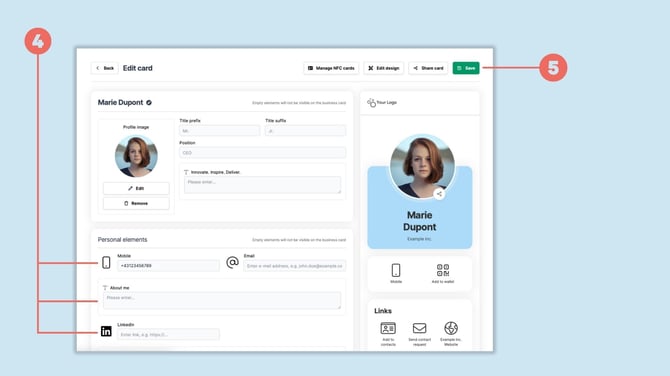
You can now update the information on the team member’s digital business card (4).
Depending on the card design, this can include personal details, contact information and Personal elements.
Administrators can edit this information on behalf of the team member.
Save the changes
Once you've finished editing the profile, click Save (5).
The updated information will then be displayed on the team member’s digital business card.