
Edit your personal card details
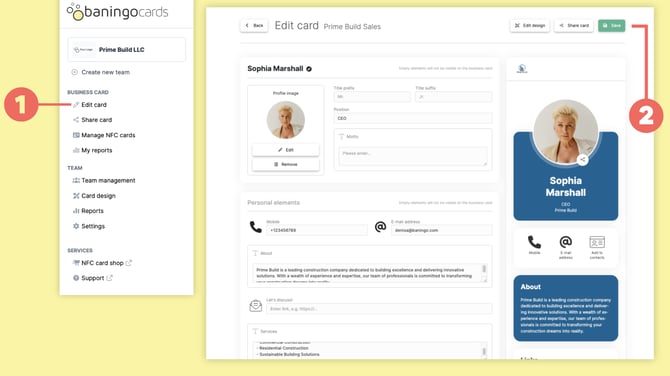
Open Edit card (1).
Here you can update the personal information displayed on your digital business card, including:
- contact details
- phone numbers
- email addresses
- personal social media profiles
- links
- other Personal elements
Once you have made your changes, click Save (2).
What are Personal elements?
Personal elements are fields that can contain different information for each person.
Examples include:
- personal phone number
- personal email address
- personal LinkedIn profile
- personal calendar link
If a Personal element is available on your card, you can enter or update the information under Edit card.
Company elements are managed centrally by an administrator and cannot be changed here.
If you need a Company element or the overall structure of your card changed, contact your administrator.