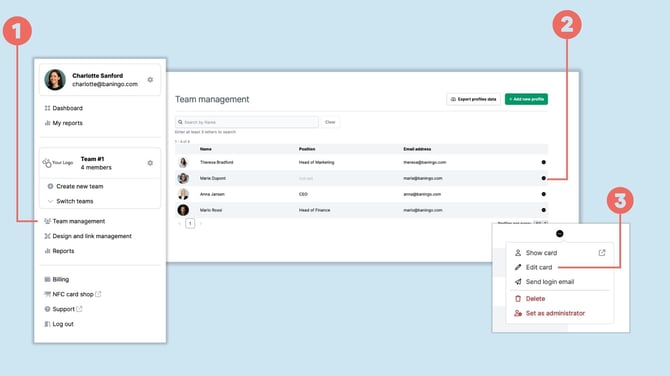
Open Team management
Open Team management (1).
Find the team member whose digital business card you want to update and click the three-dot menu (2) next to the profile.
Select Edit card (3).
Generate or download a profile QR code
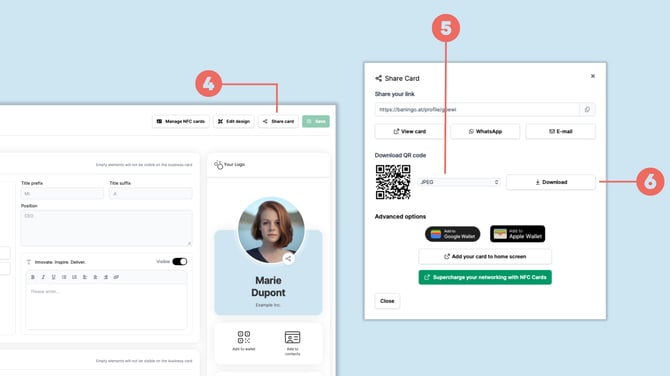
In the profile editor, open Share card (4).
Under Download QR code, select your preferred file format (5).
Click Download (6) to save the QR code to your device.
You can then use the QR code in places such as printed materials, presentations, email signatures or other media.