
Add a text field
Open Card design for the team you want to edit.
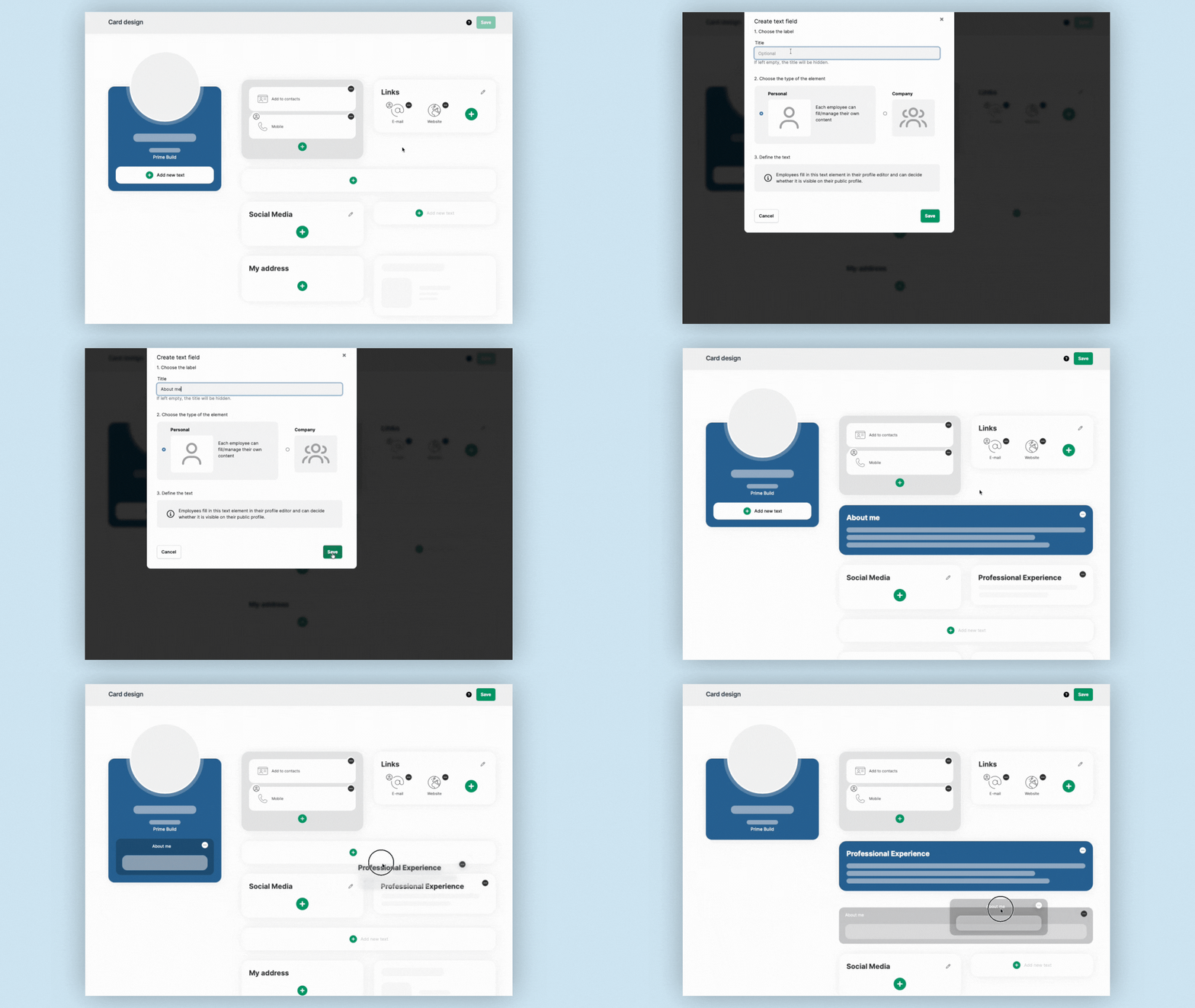
Text fields can be used for longer content that does not fit into a regular link or contact element.
For example, you can use them for:
- an About section
- professional experience
- education
- services
- company information
- additional descriptions
Click the + icon in a text area and enter the name of the text field you want to create.
Create the text field and save your changes.
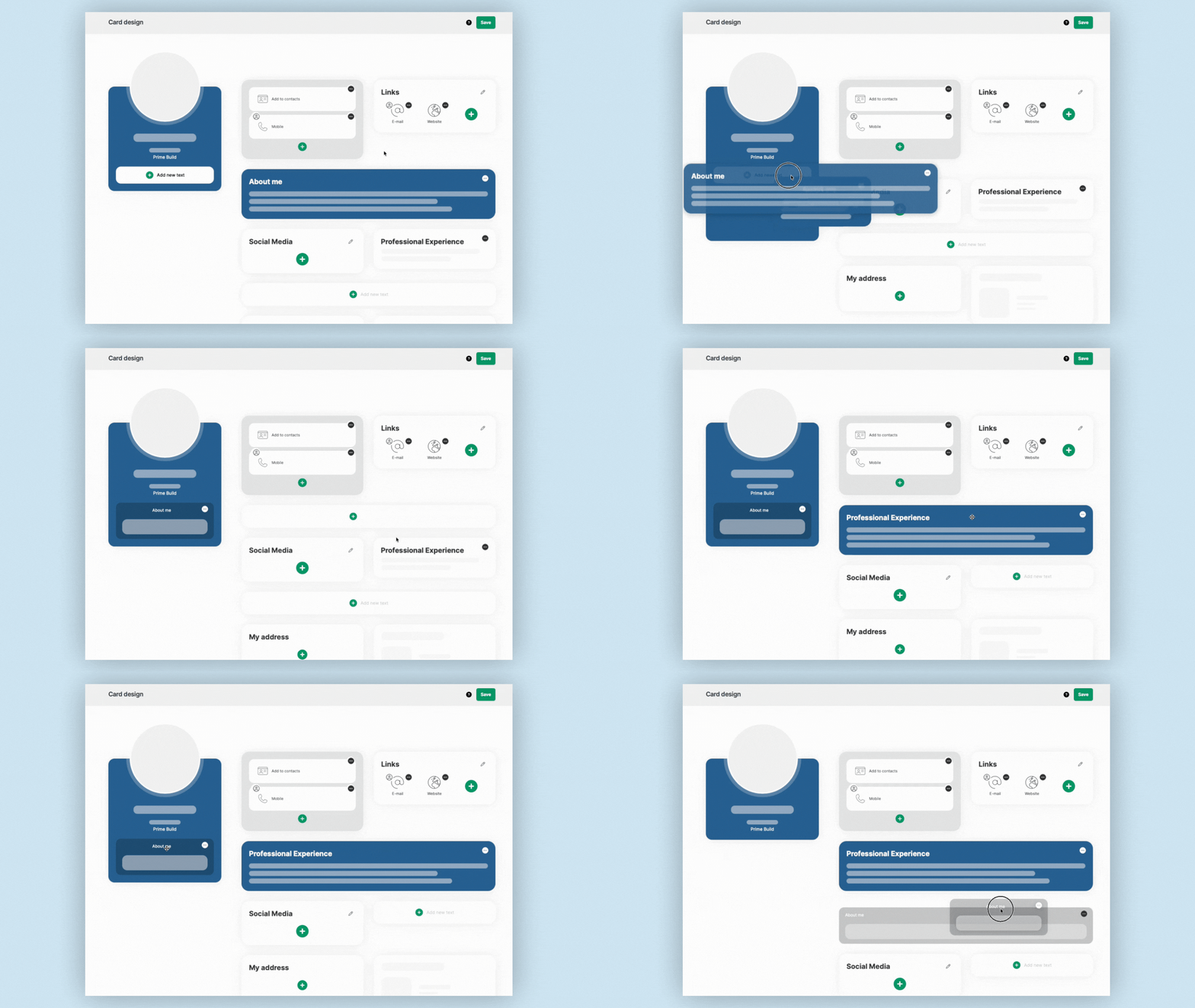
You can move text fields to a different position later using drag and drop.
Fill in Personal and Company text fields
How the content is managed depends on whether the text field contains personal or company-wide information.
For personal information, open Edit card and enter the content in the relevant text field.
For company-wide information, administrators manage the content centrally in Card design.
Save your changes when you're finished.