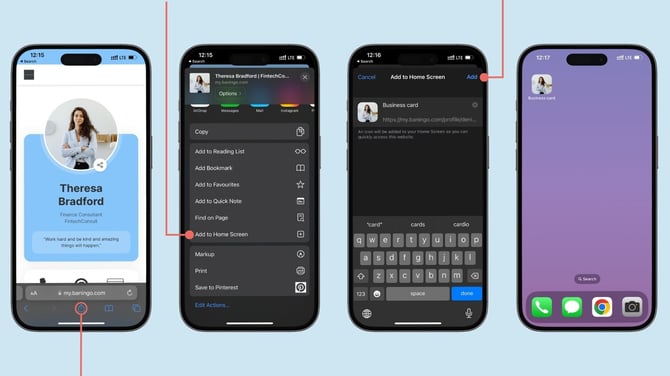
Add your card to an iPhone home screen
Open your digital business card in Safari.
Tap the Share icon.
Scroll through the available actions and select Add to Home Screen.
You can change the name of the shortcut if you want.
Tap Add in the top-right corner.
Your digital business card is now available directly from your iPhone home screen. When you tap the shortcut, your card opens in the browser.
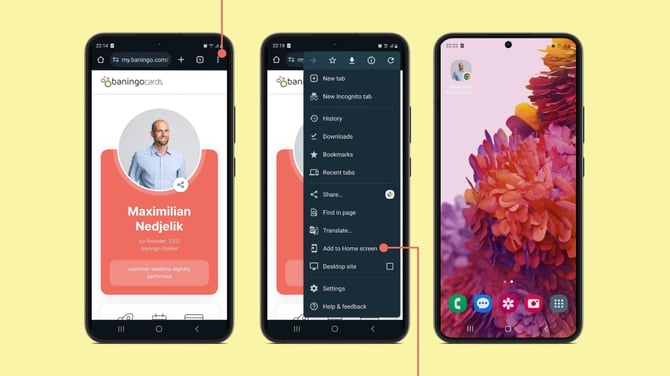
Add your card to an Android home screen
Open your digital business card in Chrome.
Tap the browser menu.
Select Add to Home screen.
Enter a name for the shortcut if needed and tap Add.
Your digital business card will appear on your Android home screen. Tap the shortcut whenever you want to open your card in the browser.