Scan a QR code on Android
Open the Camera app on your Android smartphone.
Point the camera at the QR code and make sure the complete code is visible on the screen.
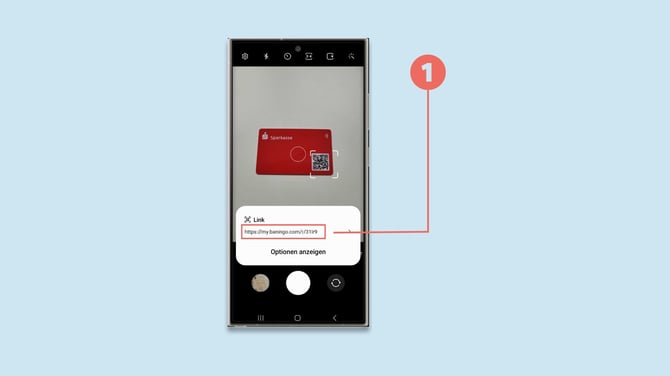
Your smartphone should automatically recognize the QR code and display a notification with the detected link (1).
Tap the notification to open the digital business card in your browser.
Note: On older Android versions or some smartphone models, you may first need to enable QR-code scanning in the Camera settings.
Scan a QR code on iPhone
Open the Camera app: Launch the Camera app on your iPhone.
Point the camera at the QR code: Hold your phone so that the QR code is visible within the camera’s viewfinder.
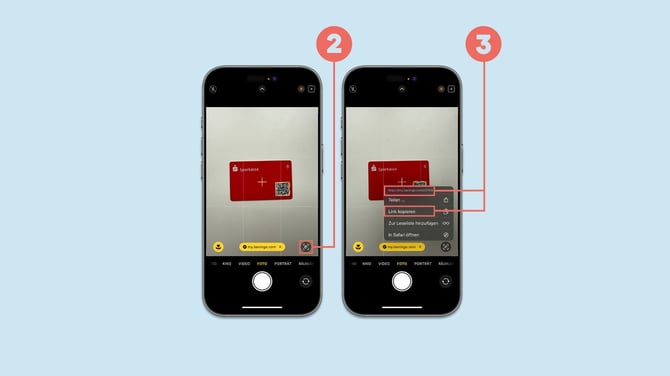
Automatic detection: The camera will automatically detect the QR code and a notification will appear at the bottom of the screen. You can either tap the yellow bar at the bottom to open the link directly in your default browser, or click the circle in the bottom right corner (2) to view or copy the link behind the QR code (3).