
View invoices and payment history
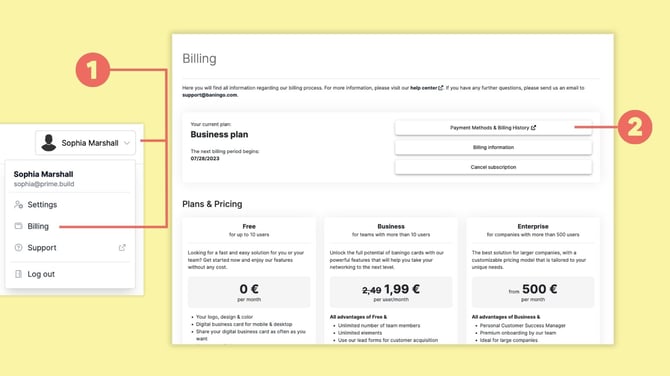
Open Billing (1).
Click Payment Methods & Billing History (2).
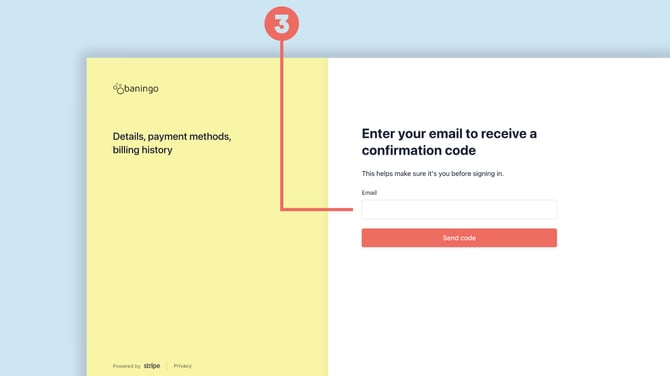
Enter your billing email address (3) to receive a confirmation code.
After entering the code, you can access your billing portal and view your billing history and invoices (4).
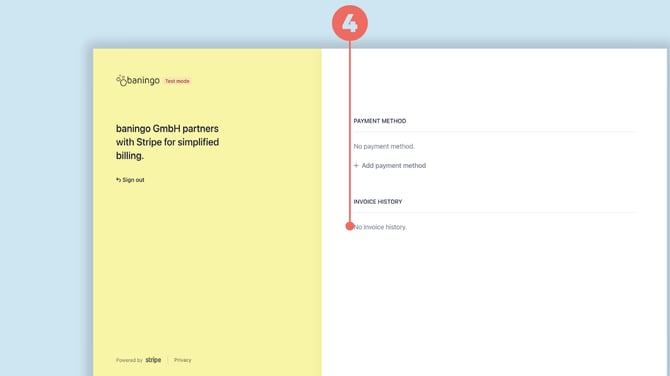
You can also download invoices from this area.
Check the status of a payment
Open Billing (1) and select Payment Methods & Billing History (2).
Here you can review your billing information and payment history.
Confirm that a payment was processed
If a payment is still being processed, its status is visible in Billing together with your current plan.
Once the payment has been successfully processed, you receive a confirmation email and the Business Plan is activated.
Depending on the selected payment method, payment processing may not always be immediate.