
Personal elements
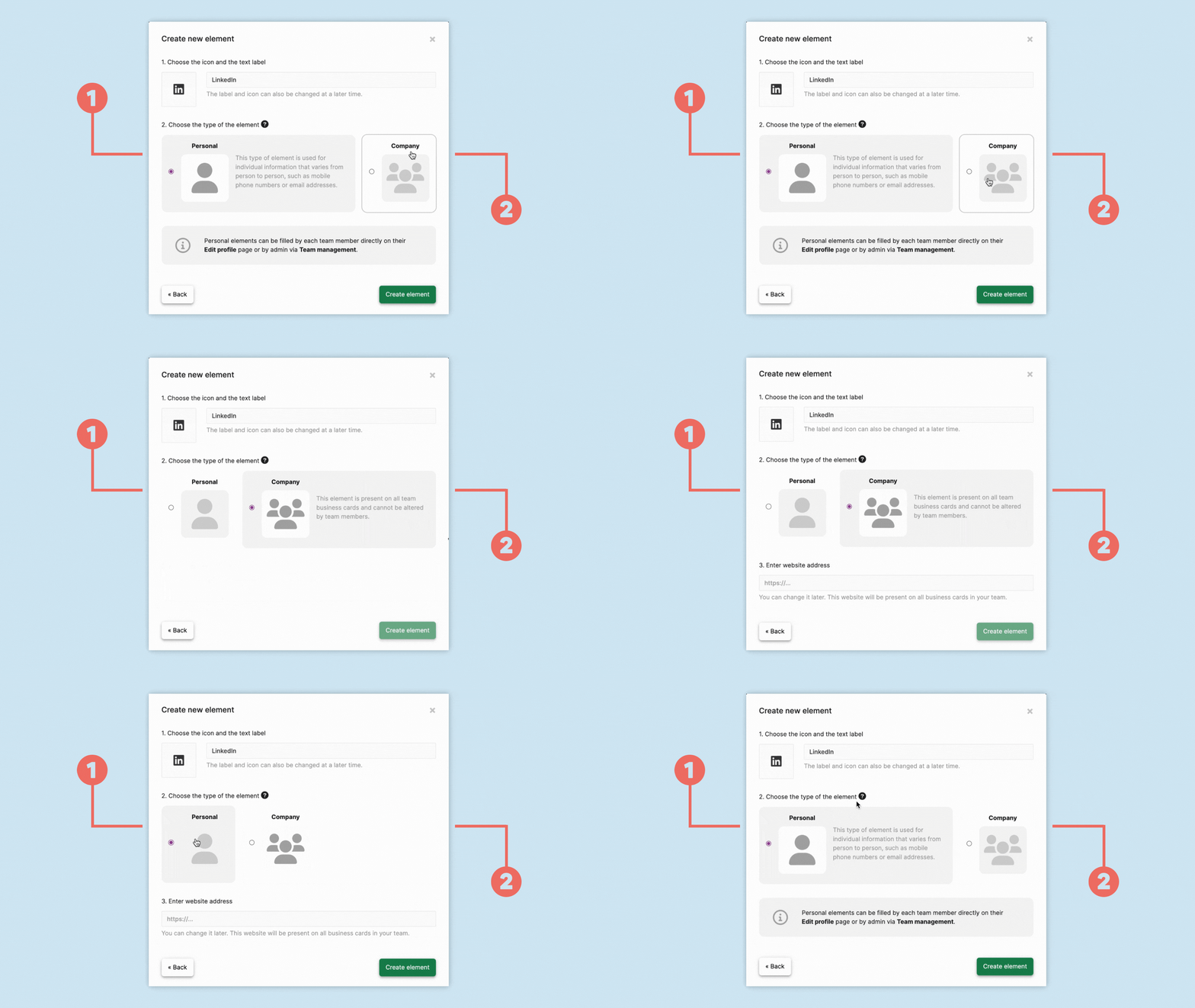
When creating an element, you can choose between Personal (1) and Company (2).
Choose Personal (1) when the information is different for each person.
Typical examples include:
- personal phone number
- personal email address
- personal social media profile
- personal calendar link
Personal elements are created by an administrator in Card design.
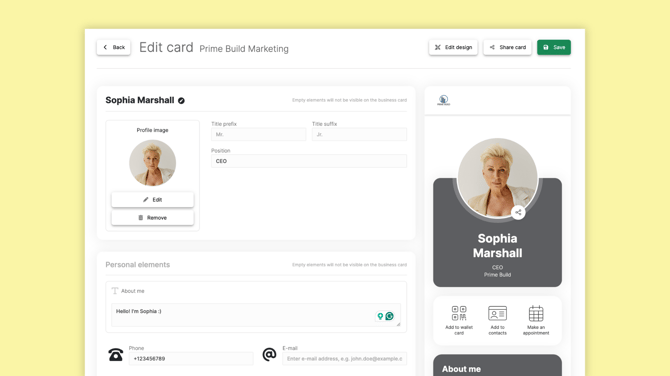
Each team member can then fill in their own information under Edit card.
If a Personal element is left empty, it is not displayed on that person's digital business card.
Administrators can also edit Personal elements on behalf of team members through Team management.
Company elements
Choose Company (2) when the information should be the same on all digital business cards in the team.
Typical examples include:
- company website
- company social media
- company blog
- company contact form
Company elements are managed centrally by administrators in Card design.
Team members cannot change the content of Company elements themselves.
Switch from Company to Personal
Administrators can change the type of an existing element.
Open Card design and locate the element you want to change.
Open the element options using the three-dot menu and select Edit.
Change the element type from Company to Personal.
You can choose whether to keep the existing information or discard it.
If you discard the existing information, team members can enter their own information under Edit card.
Switch from Personal to Company
You can also change an existing Personal element to a Company element.
Open the element in Card design, select Edit and change the element type to Company.
Please note: Changing an element from Personal to Company permanently removes the information that individual users have entered in that element.
After changing the type, enter the Company information that should be displayed across the cards in the team and save your changes.